Published Book on Amazon
 |
All of IOT Starting with the Latest Raspberry Pi from Beginner to Advanced – Volume 1 |
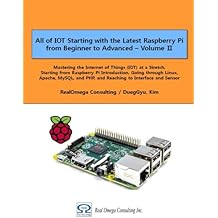 |
All of IOT Starting with the Latest Raspberry Pi from Beginner to Advanced – Volume 2 |
출판된 한글판 도서
 |
최신 라즈베리파이(Raspberry Pi)로 시작하는 사물인터넷(IOT)의 모든 것 – 초보에서 고급까지 (상) |
 |
최신 라즈베리파이(Raspberry Pi)로 시작하는 사물인터넷(IOT)의 모든 것 – 초보에서 고급까지 (하) |
Original Book Contents
17.7.3 "apt-get upgrade" Command- Reflect Updated Program
If a program already installed on the system is modified afterward, it is necessary to replace it with a new program. This is done using "upgrade" command in "apt-get" command.
[Command Format]
| apt-get [options] upgrade / dist-upgrade |
[Command Overview]
■ If a program already installed in the system is modified afterwards, This changes to a new program.
■ User privilege -- Super user.
[Detail Description]
■ The "update" command always have to be executed in advance
■ This command automatically checks the upgrade necessity for all program packages currently installed in the system using the updated package information in "update" command, and if necessary, corrects/replaces the installed program with a new program.
■ How the "upgrade" command works
■ If there is a new version in the installation program package, search for it and upgrade it.
■ The currently installed package is not removed or the new package is not installed.
■ If you can not upgrade the currently installed package without changing the installation state of another package, leave it as it is.
■ How the "dist-upgrade" command works
This command not only performs the previous "upgrade" command function, but also intelligently performs the function to change the dependency with other versions of the package. "apt-get" tool has a smart collision resolution system, which tries to upgrade the most important packages at the cost of a less important package if necessary. Therefore, some packages can be deleted here.
[Used Example]
Next is an example of running the "apt-get upgrade" command.
| pi@raspberrypi3:~ $ sudo apt-get upgrade |
| Reading package lists... Done Building dependency tree Reading state information... Done Calculating upgrade... Done The following packages will be upgraded: libavcodec56 libavformat56 libavresample2 libavutil54 libswscale3 libxslt1.1 6 upgraded, 0 newly installed, 0 to remove and 0 not upgraded. Need to get 5,971 kB of archives. After this operation, 10.2 kB of additional disk space will be used. Do you want to continue? [Y/n] y Get:1 http://mirrordirector.raspbian.org/raspbian/ jessie/main libavutil54 armhf 6:11.7-1~deb8u1+rpi1 [160 kB] ~~Skip ~~Skip
Preparing to unpack .../libxslt1.1_1.1.28-2+deb8u1_armhf.deb ... Unpacking libxslt1.1:armhf (1.1.28-2+deb8u1) over (1.1.28-2+b1) ... Setting up libavutil54:armhf (6:11.7-1~deb8u1+rpi1) ... Setting up libavresample2:armhf (6:11.7-1~deb8u1+rpi1) ... Setting up libavcodec56:armhf (6:11.7-1~deb8u1+rpi1) ... Setting up libavformat56:armhf (6:11.7-1~deb8u1+rpi1) ... Setting up libswscale3:armhf (6:11.7-1~deb8u1+rpi1) ... Setting up libxslt1.1:armhf (1.1.28-2+deb8u1) ... Processing triggers for libc-bin (2.19-18+deb8u4) ... |
Here is an example of running the "apt-get dist-upgrade" command.
| pi@raspberrypi3:~ $ sudo apt-get dist-upgrade |
| Reading package lists... Done Building dependency tree Reading state information... Done Calculating upgrade... Done 0 upgraded, 0 newly installed, 0 to remove and 0 not upgraded. |