Published Book on Amazon
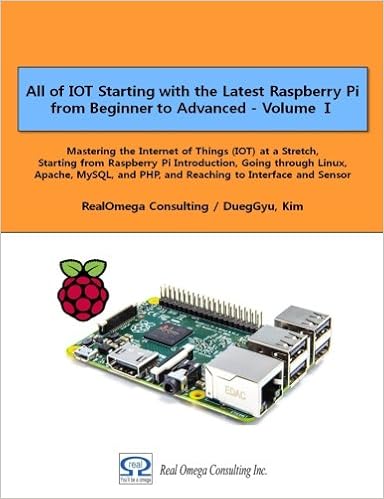 |
All of IOT Starting with the Latest Raspberry Pi from Beginner to Advanced – Volume 1 |
 |
All of IOT Starting with the Latest Raspberry Pi from Beginner to Advanced – Volume 2 |
출판된 한글판 도서
 |
최신 라즈베리파이(Raspberry Pi)로 시작하는 사물인터넷(IOT)의 모든 것 – 초보에서 고급까지 (상) |
 |
최신 라즈베리파이(Raspberry Pi)로 시작하는 사물인터넷(IOT)의 모든 것 – 초보에서 고급까지 (하) |
Original Book Contents
17.2.4 Package Management Tool – aptitude
The "aptitude" is the highest-level frontend interface in the APT package management system, and is a package management tool with many features:
■ The "aptitude" command comes with a fullscreen interactive text user interface and a command line user interface.
■ The aptitude" command is suitable for package management tasks that require daily routine interaction, such as checking installed packages or checking available packages.
■ The "aptitude" command uses hardware resources heavily.
Although "aptitude" is a great interactive tool, there are some points that you should pay attention to:
■ The "aptitude" command is not recommended for release upgrades when a new one is released for a stable Debian system. Use "apt-get dist-upgrade" instead.
■ The "aptitude" command sometimes has the problem to issue a suggestion to remove a large amount of packages for a system upgrade to a Debian system that is being tested or unstable.
[Command Format]
| aptitude [options] command <package> |
[Command Overview]
■ This is a higher package management tool in the APT package management system.
■ User privilege -- Super user.
[Detail Description]
■ This command Perform the tasks such as newly installing or removing programs.
[Main Command]
| aptitude syntax | apt-get/apt-cache syntax | description |
| update | apt-get update | update package archive metadata |
| install | apt-get install | install candidate version of "foo" package with its dependencies |
| safe-upgrade | apt-get upgrade | install candidate version of installed packages without removing any other packages |
| full-upgrade | apt-get dist-upgrade | install candidate version of installed packages while removing other packages if needed |
| remove | apt-get remove | remove "foo" package while leaving its configuration files |
| N/A | apt-get autoremove | remove auto-installed packages which are no longer required |
| purge | apt-get purge | purge "foo" package with its configuration files |
| clean | apt-get clean | clear out the local repository of retrieved package files completely |
| autoclean | apt-get autoclean | clear out the local repository of retrieved package files for outdated packages |
| show | apt-cache show | display detailed information about package |
| search <regex> | apt-cache search <regex> | search packages which match <regex> |
| why <regex> | N/A | explain the reason why <regex> matching packages should be installed |
| why-not <regex> | N/A | explain the reason why <regex> matching packages can not be installed |
| search 'i!M' | apt-mark showmanual | list manually installed packages |
[Main Option]
| -s | simulate the result of the command |
| -d | download only but no install/upgrade |
| -D | show brief explanations before the automatic installations and removals |